


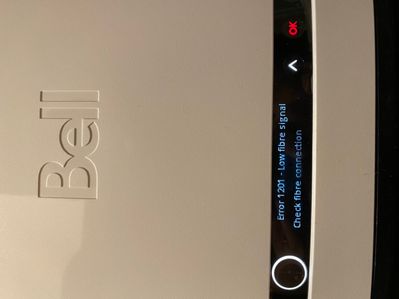





The Virtual repair tool will automatically detect and fix problems with your Internet, Fibe TV and Home phone services.
Use it to make sure your services are running their best, or if you have:
I’m in a small condo but the 2.4g signal isn’t stable to manage my baby cam less than 25ft away. It needs to connect via the 2.4g only network and the bell is wifi booster only works if both network bands are running combined.
I have already searched this and found 0 hits so it's worth asking. I'm looking at upgrading my lighting in the room in which my Home Hub is situated, and found that Power over Ethernet (PoE) is one of the lighting options available.Typically, the da...
Hi Everyone,I recently upgraded from 500Mbps to 1Gbps (down). Since the upgrade I randomly do speedtests and I keep getting more or less the same results (Network to modem of ~1Gbps and Modem to device of roughly half of that). I'm currently running ...
Hello, I have a Home Hub 2000 and since yesterday the WAN light has been flashing yellow. Not sure what this means? I have tried disconnecting the power cable for about 30 seconds and reconnecting it, then letting the system reboot. I have done ...
I have 4 employees that work remotely and the two of them that have Bell routers and service can't connect to the office server, whereas my employees that have Rogers as their service provider have no issues. In fact, the two employees that are havi...
Moving to a HomeHub 4000, I was informed the 3000 does not have third party compatibility. Does anyone know if the 4000 does?
Simply trying to assess if archive.today (a web archiving service) is being blocked by Bell. I can’t access it directly, but I can if I use a VPN.
How do I get 5 Ghz on my cell phone? I can only see 2.4 GHZ
I have a homehub 3000 that I configured to route the internet through opendns to filter all the garbage of this world and protect my young ones ( porn, junk, tiktok ). However my teenage son found way to bypass this by configuring his computer to use...
My very senior relative has had a windows 7 machine for a very long time. With this edition of windows no longer supported by MS for some time and now her free AV software soon to be similarly not supported for Windows 7 we have decided to bite the b...
New to our forum? These guides will help you find your way around quickly.

Bundle your streaming subscriptions and pay one low monthly price.
Easily transfer your accounts, keep your viewing history, recommendations and watchlists.
Save when you bundle with Bell.
Gemini. Your built-in AI assistant:
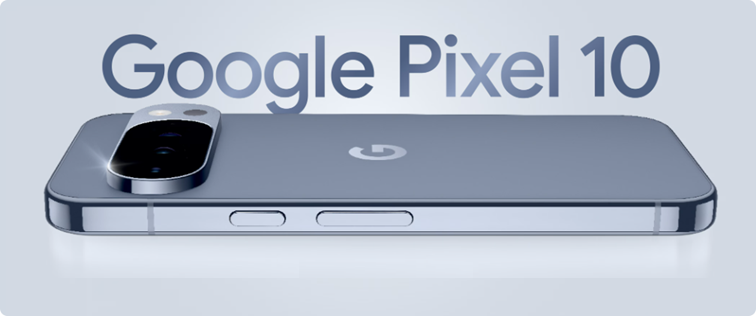
Choose Bell for your new Google Pixel 10.
The Virtual repair tool will automatically detect and fix problems with your Internet, Fibe TV and Home phone services.
Use it to make sure your services are running their best, or if you have:


Bell customers can now enter exclusive contests on the MyBell app.
Prizes include tickets to Bell sponsored events such as:
All you have to do is log in to the MyBell app to see if there is a contest happening in your area.





