- Community Home
- Mobility
- Re: RCS Chat
Options
- Subscribe to RSS Feed
- Mark Topic as New
- Mark Topic as Read
- Float this Topic for Current User
- Bookmark
- Subscribe
- Mute
- Printer Friendly Page

Options
- Mark as New
- Bookmark
- Subscribe
- Mute
- Subscribe to RSS Feed
- Permalink
- Report Inappropriate Content
02-23-2024 03:16 PM - last edited on 09-24-2024 11:07 AM by BellAntgio
Why do some of my contacts default to RCS text messages, while others default to SMS? And how do I change this for each contact? Thanks.
GTW
Solved! Go to Solution.
0
38
15.9K
38 REPLIES 38

Options
- Mark as New
- Bookmark
- Subscribe
- Mute
- Subscribe to RSS Feed
- Permalink
- Report Inappropriate Content
12-13-2024 02:52 PM - last edited on 02-10-2025 09:41 AM by BellDRock
I've been using RCS chat in the Google Messages app for about a year now. A few days ago, it stopped working and in the RCS chats settings, it says "Status: Setting up... Trying to verify <my phone number>"
I've tried the following:
- Turning RCS chat off, waiting a few minutes, then turning it back on
- Tapping "Verify your number" and then "Add Number"
- Turning RCS chat off, deleting my registration using the Google page for when you've lost your phone, waiting 24 hours, then turning RCS chat back on
- Restarting the phone, several times
- Clearing all data from the Google Messages app and then restarting
Nothing seems to work. Any ideas?

Options
- Mark as New
- Bookmark
- Subscribe
- Mute
- Subscribe to RSS Feed
- Permalink
- Report Inappropriate Content
12-15-2024 12:18 PM
RCS chats have been having issues as of late, check it out on google. My suggestion, try another SMS for the time being

Options
- Mark as New
- Bookmark
- Subscribe
- Mute
- Subscribe to RSS Feed
- Permalink
- Report Inappropriate Content
12-15-2024 09:02 PM
Hi!
Disable RCS (and close the app). Force stop and clear app data and cache from both Google Messages and Carrier Services. Enable RCS again and it should instantly connect.
Options
- Mark as New
- Bookmark
- Subscribe
- Mute
- Subscribe to RSS Feed
- Permalink
- Report Inappropriate Content
12-15-2024 11:46 PM
Hi,
I have a S24+ and I have had the same problem for the past couple days. Tried everything with Samsung and Bell told be it was a phone issue.
I think the bug came with the last update for some reason.
Tried everything from taking out my sim card, restart, delete cache, etc.
Options
- Mark as New
- Bookmark
- Subscribe
- Mute
- Subscribe to RSS Feed
- Permalink
- Report Inappropriate Content
12-16-2024 12:12 AM
I've tried that (a couple of times) except for the Carrier Services, as Samsung phones do not have that app apparently.
Options
- Mark as New
- Bookmark
- Subscribe
- Mute
- Subscribe to RSS Feed
- Permalink
- Report Inappropriate Content
12-16-2024 09:37 AM
Correct, Samsung phones don't have that app. Have you tried disabling RCS, enabling Airplane mode for a minute or two then disabling it and re-enabling RCS again?
Options
- Mark as New
- Bookmark
- Subscribe
- Mute
- Subscribe to RSS Feed
- Permalink
- Report Inappropriate Content
12-16-2024 08:25 PM
I hadn't tried that yet no, but I tried it today. It didn't fix it.

Options
- Mark as New
- Bookmark
- Subscribe
- Mute
- Subscribe to RSS Feed
- Permalink
- Report Inappropriate Content
12-18-2024 03:23 PM - edited 12-18-2024 03:25 PM
Hey there @Jason99 ,
Welcome to the community and thanks for your post.
After a quick search, it seems like you're not the only one facing this issue with your phone model.
Check out the following threads on the Samsung community forum for more details;
- Messaging on s24 ultra help plz

- Samsung Messages RCS issues
- RCS messages
- Samsung Messages Chat RCS not working
Let the community know if you have more questions.
Options
- Mark as New
- Bookmark
- Subscribe
- Mute
- Subscribe to RSS Feed
- Permalink
- Report Inappropriate Content
01-20-2025 10:57 AM - edited 01-20-2025 10:59 AM
Could the issue be with Androids on Bell's network?
With Fizz, my son had RCS working. Since I switched him to Bell, it gets stuck on number verification. He tried his SIM card in one of his friend's Pixel 6 and in his dad's Note 22 Ultra to no avail.
But, when I put his SIM card in my iPhone, the RCS toggle is there, it's on and RCS is functioning. I see "Text Message - RCS" when texting and Androids receiving those text messages see "RCS Chat" in the text input bar. I tried the troubleshooting steps here (which worked when he was still on Fizz) and even with Google Support.

Options
- Mark as New
- Bookmark
- Subscribe
- Mute
- Subscribe to RSS Feed
- Permalink
- Report Inappropriate Content
02-10-2025 08:54 AM - last edited on 02-10-2025 09:40 AM by BellDRock
I switched to Bell a little more than 2 weeks ago. Ever since switching, my RCS chat will not work as it says Bell can not verify my number. My son is also on my plan and is having the exact same issue. He can not connect to RCS chats either and it is also because of not having his number verified.
We have tried every single suggestion we could fine online and in the community forums, from resetting our device/connections/clearing caches/resetting our phones/verifying our number with google/etc. etc. etc.
I called Bell this morning for technical support and was told by May that the issue is not with Bell. Apparently both of our phones stopped working and are experiencing manufacturer's issues at the exact same time we switched to Bell. There is nothing Bell can do for us. *Before we left - all our RCS chats worked fine with Rogers. Both of our apps worked fine and our devices. There were no issues*
I guess this means that we simply need to switch to a new provider. I asked her if she is comfortable with driving customers away and losing her employer money. She told me yes because there is nothing she can do for me - RCS problems are not Bell's issue.


Options
- Mark as New
- Bookmark
- Subscribe
- Mute
- Subscribe to RSS Feed
- Permalink
- Report Inappropriate Content
02-10-2025 09:12 AM
Thanks for your concern. Have you tried the manufacturer’s support site? Bell can’t fix phone system problems, unfortunately.
I am a Community All-Star and customer. I'm here to help by sharing my knowledge and experience. My views on Bell and the Community Forum are my own and not the views of Bell or any of its affiliates.

Options
- Mark as New
- Bookmark
- Subscribe
- Mute
- Subscribe to RSS Feed
- Permalink
- Report Inappropriate Content
04-08-2025 03:06 PM - last edited on 04-08-2025 03:26 PM by BellAntgio
Hey fellas,
Is anyone else having issues with RCS, with Bell? I have been having it since last couple of days!
Anyone else on the same boat?
Options
- Mark as New
- Bookmark
- Subscribe
- Mute
- Subscribe to RSS Feed
- Permalink
- Report Inappropriate Content
04-08-2025 04:40 PM
Hey,
So, mine is a Pixel 8a and I gave Google tech support a call, and they will look into the issue. The guys took my notes and did a escalation, as they said, many people are having this issue, including Samsung & Google peeps. But, other Androids are not having this issue apparently!

Options
- Mark as New
- Bookmark
- Subscribe
- Mute
- Subscribe to RSS Feed
- Permalink
- Report Inappropriate Content
04-10-2025 01:02 PM - last edited on 04-10-2025 02:28 PM by BellAntgio
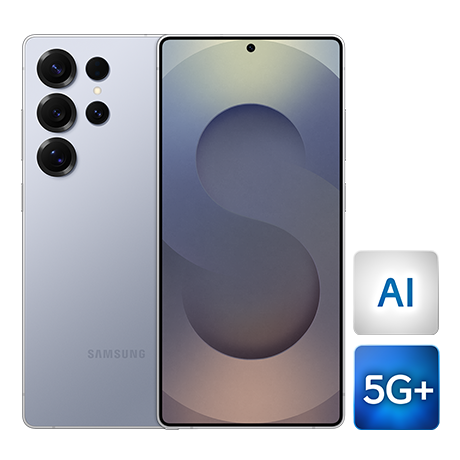
I recently purchased a new Samsung Galaxy S25 Ultra through Bell on April 4th. Since then, RCS chats has been stuck on "Setting up". When I click on "Verify your number" it is already listed and I click on "Add Number". Then it says Status: Setting up, Trying to verify (my number)
I have already checked my Google account and my number is definitely verified along with all my other account info.
My previous phone was a Samsung A54 and I was with Virgin Mobile with no issues.
Any suggestions would be greatly appreciated.

Options
- Mark as New
- Bookmark
- Subscribe
- Mute
- Subscribe to RSS Feed
- Permalink
- Report Inappropriate Content
04-10-2025 11:45 PM
I have the same issue switched from fido to bell on March 19 and rcs stopped working, my guess it because when you switch to bell you get a temporary number and that logged u out of rcs. My wife also switched to bell using an iPhone but her rcs seems to be working, guess the issue is mostly for Android users.

Getting started
New to our forum? These guides will help you find your way around quickly.
- Welcome to the Community!
- Log in/Register
- Community guidelines
- Community help
- Meet the Moderators
- Bell Community All-Stars
- How to send a private message
- Existing customers, login to MyBell to see exclusive offers
- What's on Crave
- What's on Free Preview
- Mobility phone & device catalog
- Latest in the Community
Popular links


Top contributors
| User | Likes Count |
|---|---|
| 940 | |
| 355 | |
| 19 | |
| 16 | |
| 12 |


