- Community Home
- Mobility
- Re: RCS verification
Options
- Subscribe to RSS Feed
- Mark Topic as New
- Mark Topic as Read
- Float this Topic for Current User
- Bookmark
- Subscribe
- Mute
- Printer Friendly Page

Options
- Mark as New
- Bookmark
- Subscribe
- Mute
- Subscribe to RSS Feed
- Permalink
- Report Inappropriate Content
06-29-2025 07:45 PM
Hey so i recently changed over to bell and they keep telling me ways to aet up my RCS but it won't validate its stuck in a samsara a loop of "setting up" "validating" google says contact bell, bell aays contact google, i followed all their stepa nothing works please someone help me so i can text my global friends without them getting charged insane tsxt fees
Solved! Go to Solution.
0
34
14.9K
34 REPLIES 34

Options
- Mark as New
- Bookmark
- Subscribe
- Mute
- Subscribe to RSS Feed
- Permalink
- Report Inappropriate Content
11-07-2025 03:01 PM
Please see the helpful reply, which has a green checkmark, for the most recent and accurate word from Bell regarding RCS. The post is from Bell staff within the last 36 hours.
I am a Community All-Star and customer. I'm here to help by sharing my knowledge and experience. My views on Bell and the Community Forum are my own and not the views of Bell or any of its affiliates.

Options
- Mark as New
- Bookmark
- Subscribe
- Mute
- Subscribe to RSS Feed
- Permalink
- Report Inappropriate Content
11-11-2025 08:52 AM
Have we had anymore word on this as I'm having the same issues and I've tried all the steps above ^^
I am a Bell employee and a customer. My views on the Community Forum are my own and may not be the views of Bell or any of its affiliates.

Options
- Mark as New
- Bookmark
- Subscribe
- Mute
- Subscribe to RSS Feed
- Permalink
- Report Inappropriate Content
11-12-2025 08:52 PM
Bell saying they “don’t do RCS anymore” is basically them dodging responsibility. They don’t host their own RCS servers anymore, but it still runs through Google’s Jibe platform on Bell’s behalf and Bell still has to provision and approve your number for RCS.
When you turn on chat features, Jibe sends a hidden SMS to verify your number, then checks Bell’s backend to confirm your line is RCS-provisioned. If Bell’s system isn’t set up properly (like after switching from carriers, swapping SIMs, or bad account data), Jibe can’t complete the handshake, and you’ll get errors like “SIM not supported” or “verification limit reached.”
So while Google runs the servers, Bell is still responsible for properly provisioning your account for RCS. When their reps say “we don’t do RCS,” it’s usually just because they don’t understand how it actually works.

Options
- Mark as New
- Bookmark
- Subscribe
- Mute
- Subscribe to RSS Feed
- Permalink
- Report Inappropriate Content
11-12-2025 09:09 PM
Oh that makes more sense
I'm hoping it gets resolved soon as I've tried all steps in this forum with no success
Options
- Mark as New
- Bookmark
- Subscribe
- Mute
- Subscribe to RSS Feed
- Permalink
- Report Inappropriate Content
11-13-2025 01:08 AM
Ya hopefully, It's really a shame bell doesn't have informed technical staff, one of their managers said they hadn't heard what RCS was, until I had brought my issue to them, which is just wild to hear.
Options
- Mark as New
- Bookmark
- Subscribe
- Mute
- Subscribe to RSS Feed
- Permalink
- Report Inappropriate Content
11-13-2025 01:27 AM
I wish they were more aware of actual technical issues as being pushed away when contacting them isn't satisfactory support in the slightest

Options
- Mark as New
- Bookmark
- Subscribe
- Mute
- Subscribe to RSS Feed
- Permalink
- Report Inappropriate Content
11-20-2025 08:49 PM
Dude! THANK YOU. I cannot TELL YOU how many things I tried to get this to work after switching from Rogers to Bell.. I literally gave up on it for over a month and a half but it was annoying me so much I decided to dig into trouble shooting again today. This solution actually worked..I'm mind blown. Thank you!!

Options
- Mark as New
- Bookmark
- Subscribe
- Mute
- Subscribe to RSS Feed
- Permalink
- Report Inappropriate Content
11-21-2025 01:50 PM - last edited on 11-21-2025 01:56 PM by BellAntgio
We recently moved and have just activated our Bell Gigibit Fibe service. For some reason, RCS does not work when using the new service. It's a Bell mobility iPhone and RCS has works well over 5G and on Rogers wifi. Everything else seems to work properly with the Fibe connection (iMessage, apps, other devices, etc.)
We've tried the usual first steps (reset phone, modem, RCS settings, etc.), but before diving deeper into the phone itself I was wondering if anyone else has seen this or has any other suggestions.
Unfortunately I only have one phone that I can test this with at the moment, so I can't isolate the problem to the phone itself.
Any tips would be appreciated!
Options
- Mark as New
- Bookmark
- Subscribe
- Mute
- Subscribe to RSS Feed
- Permalink
- Report Inappropriate Content
11-23-2025 08:29 AM
Has anyone found a similar solution for iPhone?

Options
- Mark as New
- Bookmark
- Subscribe
- Mute
- Subscribe to RSS Feed
- Permalink
- Report Inappropriate Content
11-25-2025 08:15 AM - last edited on 11-25-2025 09:40 AM by BellPatricia
Hi @Green Bean,
This kinda worked for me for couple of hours.
Upon following the steps, my number was verified. However Google Messages was not able to verify the keys in a Group chat.
Whenever I was part of the group, the chat would show un-encrypted.
If I message Person1 : Encryption was ON
If I message Person2 : Encryption was ON
But if I create a group with Person1 and Person2, the encryption would be disabled.
Also tried to verify the keys manually but it would show the user Yellow Shield with a message keys could not be verified.
Since then I decided to redo the steps, but not been able to verify the number on RCS. It is stuck in verifying.
Can you confirm if your Group chat shows Encrypted or un-Encrypted?

Options
- Mark as New
- Bookmark
- Subscribe
- Mute
- Subscribe to RSS Feed
- Permalink
- Report Inappropriate Content
11-27-2025 10:22 AM
is three any update. I recently switched from Koodo to Bell and I have tried to use RCS using the different methods posted with no joy. I am still within my first week of switching and at this point it looks like I will be switching to a different service
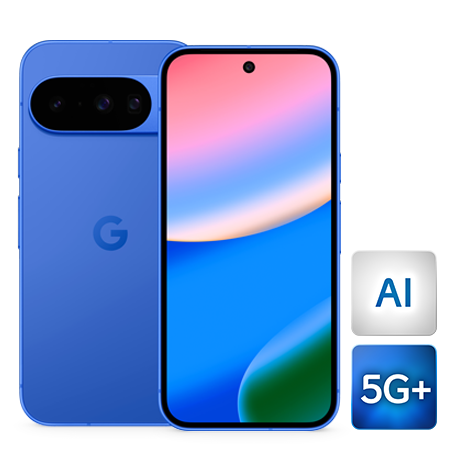
My phone is a Pixel 10.
Options
- Mark as New
- Bookmark
- Subscribe
- Mute
- Subscribe to RSS Feed
- Permalink
- Report Inappropriate Content
11-27-2025 10:26 AM
Same questions. I s there a timeline for a fix

Options
- Mark as New
- Bookmark
- Subscribe
- Mute
- Subscribe to RSS Feed
- Permalink
- Report Inappropriate Content
11-27-2025 10:36 AM - edited 11-27-2025 10:40 AM
RCS has finally been working after months of troubleshooting. Without uninstall and reinstalling, no clearing of cache, just simply removing my phone number on all Google Accounts.
I tried the long intricate method shared here, but this Reddit post made it actually work for me: https://www.reddit.com/r/GoogleMessages/comments/1nmft72/i_finally_fixed_it_rcs_stuck_on_verifying/?...
I just simply remove my phone number on all my Google accounts and verify RCS and voila! It connected within seconds! Good luck everyone!

Options
- Mark as New
- Bookmark
- Subscribe
- Mute
- Subscribe to RSS Feed
- Permalink
- Report Inappropriate Content
11-27-2025 10:39 AM
I have the same device : Google Pixel 10
I was on an extended chat with the Bell Customer support and the rep knew what she was doing. Asked me to try the usual which I had already tried, but followed all the steps as I was told anyway.
What worked for me (so far) was disable auto verification from :
Clear cache and data: Go to your phone's Settings > Apps > Google
Messages > Storage. Clear the cache and data. Repeat this for the
"Carrier Services" app as well.
- Disable Phone Number Verification: Go to your phone's Settings >
Google > All Services > Phone Number Verification and turn it off. Then,
in Google Messages, disable RCS chats and restart your phone before
turning RCS back on.
---------------------------------
After following this I could see "RCS connected". Person to Person chat was encrypted, but group chat was not encrypted.
However that was resolved after a few hours (4 maybe). This was resolved yesterday afternoon and as of now it is still encrypted.
I have not yet toggled back ON Phone number verification
Everything seems to be working so far!
Options
- Mark as New
- Bookmark
- Subscribe
- Mute
- Subscribe to RSS Feed
- Permalink
- Report Inappropriate Content
11-27-2025 12:58 PM
thank you @NewJon , after several other attempts, this method seems to have worked. the only difference I think was to turn off phone number verification. I see the same thing with encryption, so I will wait to see if that kicks in, but at least I am back into my RCS text groups.
thanks for you help

Getting started
New to our forum? These guides will help you find your way around quickly.
- Welcome to the Community!
- Log in/Register
- Community guidelines
- Community help
- Meet the Moderators
- Bell Community All-Stars
- How to send a private message
- Existing customers, login to MyBell to see exclusive offers
- What's on Crave
- What's on Free Preview
- Mobility phone & device catalog
- Latest in the Community
Popular links


Top contributors
| User | Likes Count |
|---|---|
| 943 | |
| 355 | |
| 19 | |
| 16 | |
| 12 |


