- Community Home
- Mobility
- Upgrading device/contract
Options
- Subscribe to RSS Feed
- Mark Topic as New
- Mark Topic as Read
- Float this Topic for Current User
- Bookmark
- Subscribe
- Mute
- Printer Friendly Page

Options
- Mark as New
- Bookmark
- Subscribe
- Mute
- Subscribe to RSS Feed
- Permalink
- Report Inappropriate Content
10-25-2024 07:46 PM - last edited on 04-09-2025 03:02 PM by BellPatricia
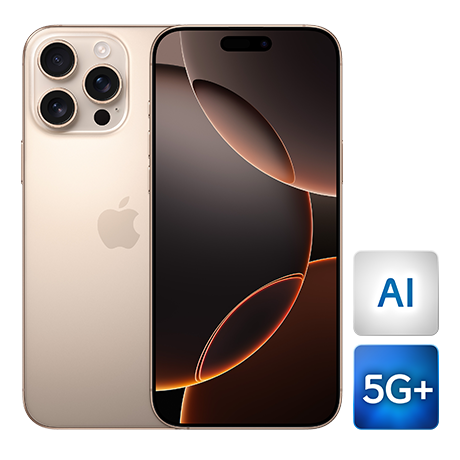
I’m currently under a 2-year contract for the iPhone 15 Pro Max, but I was hoping to switch to a new contract by returning this phone and upgrading to the iPhone 16 Pro Max
I was willing to sign a new 2-year contract and pay a higher monthly amount, substituting the existing contract.
However, I was informed that I would still need to pay over $800 to cover the remainder of the current contract, even though I’d be returning the device and committing to a new plan.
When I asked to speak with someone in higher authority to discuss options, the agent repeatedly insisted that this fee was “unavoidable” and simply “it is what it is,” despite the fact that I wouldn’t be keeping the current phone but returning it in exchange to a new one under a new higher amount/month plan and still be under a contract.
Is there anyone who can help me out with this?
Thank You!
Solved! Go to Solution.
Labels:
- Labels:
-
iPhone
0
3
3,254
2 helpful replies
Accepted Solutions


Options
- Mark as New
- Bookmark
- Subscribe
- Mute
- Subscribe to RSS Feed
- Permalink
- Report Inappropriate Content
10-26-2024 07:07 AM
Good Day & Welcome to the Bell Community Forum.
We do not have access to your account, billing details & mobility agreement on the Bell Community Forum.
Based on the information that you have provided; I can only assume that you purchased your mobility plan & device within the last 24 months & signed up for the: SmartPay plan.
You can view your Bell mobility agreement in MyBell. It will include all of the details that you agreed to when you activated your mobility service & device.
The Bell Mobility Customer Service representative provided you with the correct information.
Once your agreement with Bell is set and the initial buyer's remorse period has passed, the monthly device payment is non-negotiable and cannot be changed beyond buying out your agreement before the 24 month term has passed. Device Return Option cannot be separately removed from your initial Smart Pay agreement mid-term.
Let us know if you have any further questions.
Take care.
I am a Community All-Star and customer. I'm here to help by sharing my knowledge and experience. My views on Bell and the Community Forum are my own and not the views of Bell or any of its affiliates.
Options
- Mark as New
- Bookmark
- Subscribe
- Mute
- Subscribe to RSS Feed
- Permalink
- Report Inappropriate Content
05-28-2025 05:40 AM - last edited on 05-28-2025 08:25 AM by BellDRock
Good Day.
You may change your plan at any time to one of Bell's available Bring Your Own Device plans and pay your device in full with a one-time payment on the following invoice, ending your device financing arrangement.
To view your device balance:
- Log in to MyBell
- Select > My services at the top of the page, then select your Bell Mobility device from the list.
- On the right side of the page, Select > Payment agreement status to view your device information, including the remaining balance and commitment details.
- You can view complete details about your SmartPay device payments (including the payment agreement and schedule) by clicking “Learn more” under Remaining Device Balance.
- If you wish to change your plan to one of the Bring your Device plans, you can do so online or by contacting Bell Mobility.
- You can pay off your device by making a one-time payment on MyBell.
If you require further clarification & specific details to confirm your outstanding balance, you can call Bell Mobility Customer Service billing & orders at: 1 800 667-0123 or dial *611 from any Bell mobile device.
Bell SmartPay
What is Bell SmartPay? : What is Bell SmartPay?
Take care.
I am a Community All-Star and customer. I'm here to help by sharing my knowledge and experience. My views on Bell and the Community Forum are my own and not the views of Bell or any of its affiliates.
3 REPLIES 3
Options
- Mark as New
- Bookmark
- Subscribe
- Mute
- Subscribe to RSS Feed
- Permalink
- Report Inappropriate Content
10-26-2024 07:07 AM
Good Day & Welcome to the Bell Community Forum.
We do not have access to your account, billing details & mobility agreement on the Bell Community Forum.
Based on the information that you have provided; I can only assume that you purchased your mobility plan & device within the last 24 months & signed up for the: SmartPay plan.
You can view your Bell mobility agreement in MyBell. It will include all of the details that you agreed to when you activated your mobility service & device.
The Bell Mobility Customer Service representative provided you with the correct information.
Once your agreement with Bell is set and the initial buyer's remorse period has passed, the monthly device payment is non-negotiable and cannot be changed beyond buying out your agreement before the 24 month term has passed. Device Return Option cannot be separately removed from your initial Smart Pay agreement mid-term.
Let us know if you have any further questions.
Take care.
I am a Community All-Star and customer. I'm here to help by sharing my knowledge and experience. My views on Bell and the Community Forum are my own and not the views of Bell or any of its affiliates.

Options
- Mark as New
- Bookmark
- Subscribe
- Mute
- Subscribe to RSS Feed
- Permalink
- Report Inappropriate Content
05-27-2025 08:25 PM - last edited on 05-28-2025 08:58 AM by BellAntgio
What should we do about the agreement? My service agreement will end this November. I have been using a Samsung phone and have had it used for 2 years. We can't change or cancel the agreement for 2 years. If I have to cancel, I must pay $800 plus. After my service agreement, I decided not to use this service. I want to use an iPhone 😫. So, my remaining device balance is 33.41. Can I pay this whole device amount and get a new phone? Or do we need to wait until the agreement ends?
Options
- Mark as New
- Bookmark
- Subscribe
- Mute
- Subscribe to RSS Feed
- Permalink
- Report Inappropriate Content
05-28-2025 05:40 AM - last edited on 05-28-2025 08:25 AM by BellDRock
Good Day.
You may change your plan at any time to one of Bell's available Bring Your Own Device plans and pay your device in full with a one-time payment on the following invoice, ending your device financing arrangement.
To view your device balance:
- Log in to MyBell
- Select > My services at the top of the page, then select your Bell Mobility device from the list.
- On the right side of the page, Select > Payment agreement status to view your device information, including the remaining balance and commitment details.
- You can view complete details about your SmartPay device payments (including the payment agreement and schedule) by clicking “Learn more” under Remaining Device Balance.
- If you wish to change your plan to one of the Bring your Device plans, you can do so online or by contacting Bell Mobility.
- You can pay off your device by making a one-time payment on MyBell.
If you require further clarification & specific details to confirm your outstanding balance, you can call Bell Mobility Customer Service billing & orders at: 1 800 667-0123 or dial *611 from any Bell mobile device.
Bell SmartPay
What is Bell SmartPay? : What is Bell SmartPay?
Take care.
I am a Community All-Star and customer. I'm here to help by sharing my knowledge and experience. My views on Bell and the Community Forum are my own and not the views of Bell or any of its affiliates.

Getting started
New to our forum? These guides will help you find your way around quickly.
- Welcome to the Community!
- Log in/Register
- Community guidelines
- Community help
- Meet the Moderators
- Bell Community All-Stars
- How to send a private message
- Existing customers, login to MyBell to see exclusive offers
- What's on Crave
- What's on Free Preview
- Mobility phone & device catalog
- Latest in the Community
Popular links


Top contributors
| User | Likes Count |
|---|---|
| 942 | |
| 355 | |
| 19 | |
| 16 | |
| 12 |


